
Account Mapping
Configure how Stripe transaction types map to your QuickBooks chart of accounts.
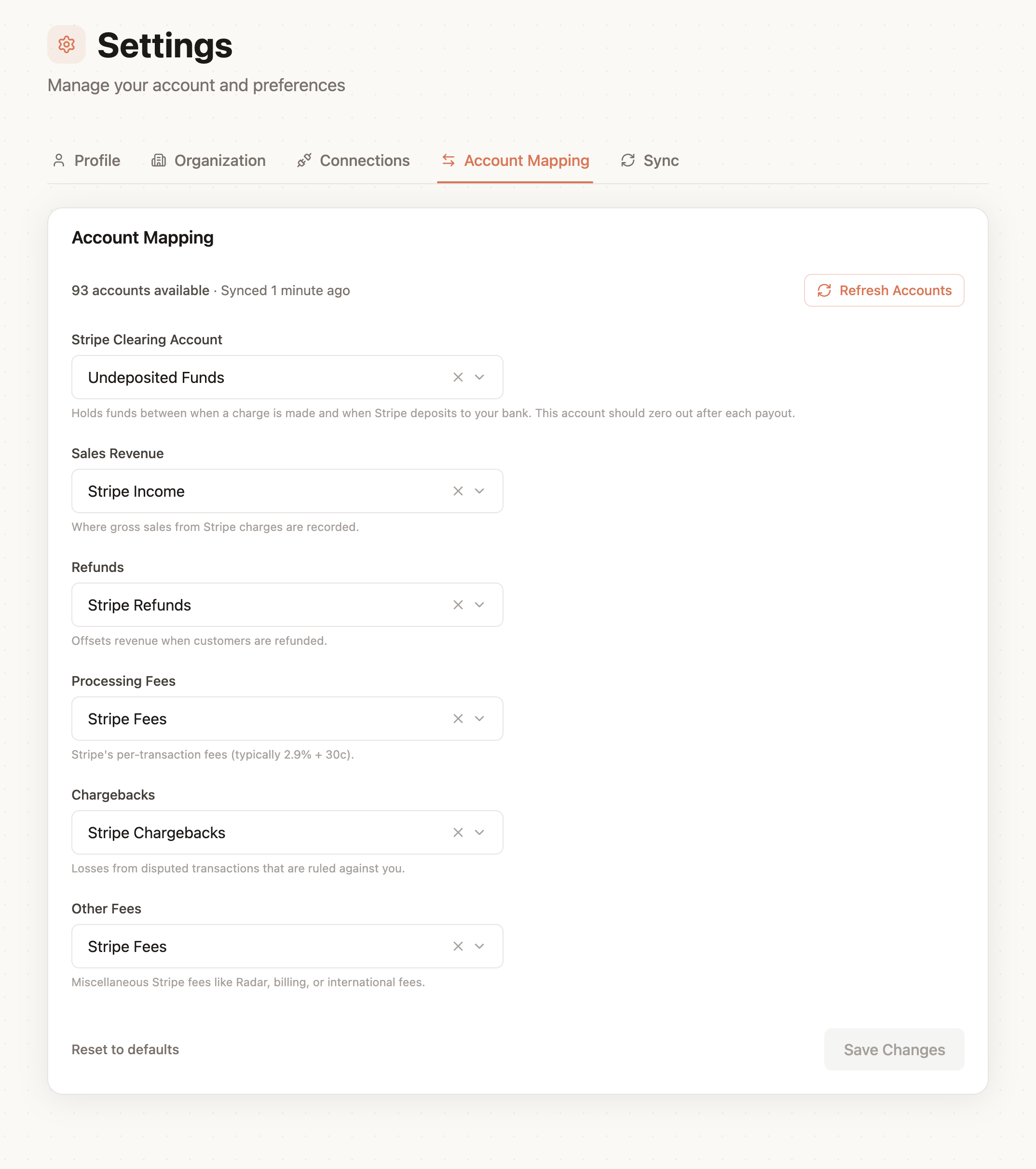
Revenue Accounts
- Charges map to your revenue accounts (e.g., "Sales Revenue" or "Service Income")
- Refunds are recorded against the same revenue accounts
Expense Accounts
- Stripe fees map to an expense account (e.g., "Payment Processing Fees" or "Merchant Fees")
Asset Accounts
- Payouts map to your bank account (e.g., "Business Checking")
- Clearing account tracks the Stripe balance before payout
Default Mappings
When you first connect QuickBooks, QuicksyncPro suggests default mappings based on common account names in your chart of accounts. You can adjust these at any time.
Updating Mappings
To change your account mappings:
- Go to Settings > Account Mapping in your dashboard
- Select the Stripe transaction type you want to update
- Choose the QuickBooks account from the dropdown
- Click Save
Changes take effect immediately for future syncs. Previously synced transactions are not affected.